
New Chat vs Project in ChatGPT
New Chat vs Project in ChatGPT
ChatGPT offers different ways to organize your work and conversations, with two commonly used modes: New Chat and Projects. While both are used for interacting with the AI, they serve very different purposes depending on how structured or long-term your work is.
What is a New Chat?
A New Chat is a simple, standalone conversation with ChatGPT. Each chat starts fresh, meaning it does not automatically remember context from previous sessions. This makes it ideal for quick questions, brainstorming, coding help, explanations, or one-time tasks.
For example, if you want to ask “Explain NumPy arrays” or “Write a Python function,” a new chat is perfect because it is fast, clean, and focused on a single topic.
What is a Project?
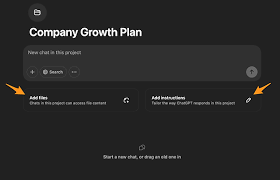
A Project is a more advanced and organized workspace designed for long-term work. It allows you to group multiple chats, files, and instructions under one structured environment. This is especially useful for ongoing tasks like building a website, writing a research paper, or developing a software application.
Projects help maintain continuity. Instead of repeating instructions every time, you can store context, files, and goals in one place, making collaboration with AI more efficient and consistent.
Key Differences
The main difference between New Chat and Project is structure. New Chat is temporary and isolated, while Projects are organized and long-term. New Chat is best for quick interactions, whereas Projects are built for complex, multi-step workflows.
When to Use Each
Use New Chat when you need fast answers, experiments, or simple tasks. Use Projects when your work involves multiple steps, files, or requires consistent context over time.
Conclusion
Both New Chat and Projects are powerful features in ChatGPT, but they solve different problems. Understanding when to use each can significantly improve productivity, especially for developers, students, and content creators. Simple tasks belong in New Chat, while structured, ongoing work belongs in Projects.